
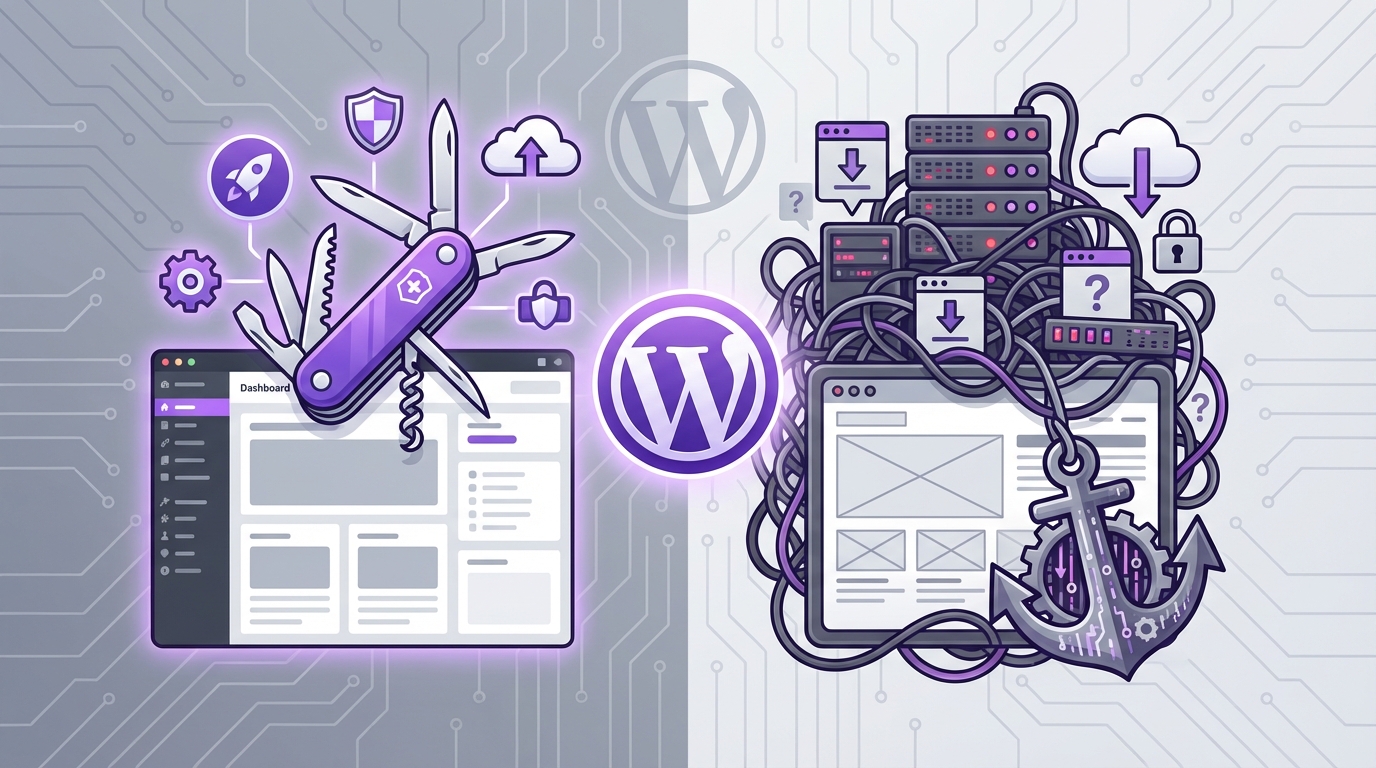
“If your stack runs on WordPress, Jetpack is either the plug-in you rely on every day or the one you quietly blame for your slow dashboard.”
The market treats Jetpack as a safety net for WordPress: security, backups, performance boosts, and a grab bag of extras under one brand. For a small business site doing 50,000 pageviews a month, Jetpack can replace three to five separate plug-ins and cut plugin management time by 30 to 50 percent. At the same time, data logs, asset loading, and background sync can add measurable weight to your page load and your database. The business question is simple: does Jetpack create more commercial value than the costs it introduces in speed, data collection, and engineering time.
The product sits in a strange position. It comes from Automattic, the company behind WordPress.com, but it runs on independent WordPress.org installs. Investors see that as distribution strength: tens of millions of WordPress sites, a wide funnel, and recurring revenue through tiered pricing. Founders see something different: a plug-in that can become a “platform inside your platform,” shaping how data flows, how features get added, and how your hosting bill grows.
The trend isn’t fully clear yet, but usage patterns show two groups forming around Jetpack. One group treats Jetpack as a starter pack for security and backups, then gradually turns off extra modules as they mature and bring in point solutions. The other group leans into Jetpack as a long term core component and accepts the data overhead in exchange for centralized control and predictable spend.
From a revenue perspective, the tradeoff comes down to three levers:
1. How much developer time you avoid by using Jetpack as an all-in-one toolkit.
2. How much performance you give up by loading its scripts and routing more data through its services.
3. How much vendor risk you accept when key analytics, backups, and spam controls sit under one provider.
Jetpack has moved away from a single “everything” bundle toward a collection of modules and product lines. This shift tracks how SaaS in general is trending: unbundling core functions, then rebundling them into plans that price on usage, storage, or audience size. For business owners running content sites, SaaS products, or small eCommerce on WordPress, the real question is no longer “Is Jetpack good?” but rather “Where does Jetpack fit in my growth model, and what does it cost me in speed and data overhead to keep it there.”
“Founders don’t complain about a plug-in until it starts to slow down revenue pages or hides data they wanted inside another company’s dashboard.”
What Jetpack Actually Is: Product, Not Plug-in
Jetpack sells itself as a single plug-in, but from a business perspective it behaves more like a bundle of SaaS products that happen to ship through the WordPress plug-in directory.
At a high level, Jetpack covers:
– Security (malware scanning, brute-force protection, downtime monitoring)
– Backups and restores
– Site search and related content
– Image and asset CDN
– Performance tweaks (lazy loading, image compression)
– Analytics
– Spam filtering
– Social media auto-posting and subscriptions
– Video hosting
Each of these lines overlaps with standalone products that raise money, run sales teams, and push yearly contracts. Jetpack collapses many of those decisions into one vendor.
Investors like this model because every new feature can raise the ceiling on average revenue per user. A small publisher might start on free stats and brute-force protection, then upgrade for backups, then add video storage when content grows. That is pure account expansion revenue.
From the user’s side, this consolidation has practical value but also real cost:
“Every toggle in Jetpack trades one form of complexity (multiple vendors) for another (a single vendor that can touch every part of your site).”
This tension is where the “utility vs data hog” debate comes from. To see it clearly, you need to understand how Jetpack handles data, how its modules load, and what that means at different traffic scales.
How Jetpack Touches Your Data
Jetpack links your self-hosted WordPress install to a WordPress.com account. That connection is not cosmetic. It shapes where your data lives and how requests move.
Here is the basic flow:
– Your site connects to WordPress.com through the Jetpack plugin.
– WordPress.com acts as a proxy and hub for many features.
– Certain content and logs are mirrored or cached on external servers managed by Automattic.
– Some modules inject JavaScript and styles onto the front end of your site.
That design has business benefits: offloading heavy compute tasks to a third party, reducing load on your own server, and gaining features with minimal setup. It also raises questions about data volume, privacy controls, and dependency.
Types of Data Jetpack Collects or Handles
Broadly, Jetpack touches five kinds of data:
1. Traffic and engagement data
– Page views, referrers, click events for its simple analytics
– Email subscribers and their behavior, if you use subscriptions
2. Security and activity logs
– Login attempts, IP addresses flagged for brute-force attacks
– Site uptime checks
– Activity logs that track changes, posts, plugin updates, and more
3. Content and media
– Images routed through its CDN
– Video, if you pay for video hosting
– Related posts index and search index
4. Configuration and module settings
– Which modules are active
– Performance, security, and engagement toggles
5. Backup and restore data (paid)
– Full database backups
– File system snapshots
From a growth perspective, some of this is helpful. Jetpack’s off-site backups protect revenue if a site hack or host failure hits during a campaign. Uptime alerts catch outages before paid traffic burns money. The conflict appears when the same product that protects your funnel also drags on your page load or keeps data in a separate analytics silo that your team barely checks.
Is Jetpack a Data Hog?
“Data hog” can mean two different things:
– A product that consumes a lot of bandwidth or processing power
– A product that gathers and stores more user and site data than you are comfortable with
Jetpack sits on both axes.
On the performance side:
– Jetpack modules add JavaScript, CSS, and occasional front-end assets.
– The plugin itself adds PHP logic and database calls inside WordPress.
– Activity logs, backups, and data syncs add write operations and API calls.
On modern hosting, the raw plugin overhead is manageable on small sites, but when you stack Jetpack next to a heavy theme, multiple page builders, tracking pixels, and ad scripts, you get real cumulative drag.
On the data collection side:
– Stats and security modules gather visitor IP addresses and behavioral data.
– Backups and logging mirror parts (and sometimes all) of your content and user base to external servers.
That is not automatically bad. Many cloud products do the same. The real business question is: does the revenue and risk reduction you gain from Jetpack justify the volume of data it routes out of your hosting environment and the latency it may introduce.
Feature Set Through a Business Lens
Security & Backups
Security and backups are Jetpack’s strongest commercial story. Reputational damage and direct revenue loss from a hacked site can run from hundreds to hundreds of thousands of dollars, depending on traffic and reliance on organic or paid funnels.
Jetpack Security offers:
– Malware scanning of core files and plugins
– Brute-force attack protection
– Spam filtering with Akismet for comments or forms
– Downtime monitoring
– Activity logs
– Automated real-time backups on paid plans
For a non-technical founder or a small business with no in-house engineering, combining backups, logs, and malware alerts into one subscription reduces cognitive load and the odds of misconfiguration.
From a cost perspective, the key question is “How does Jetpack Security compare to mixing separate tools?”
Performance & CDN
Jetpack’s performance tools sit in an odd zone. On paper, they help speed up your site:
– Image CDN offloads media files to globally distributed servers.
– Lazy loading defers off-screen images.
– Asset CDN can serve JavaScript and CSS.
In practice, gains vary:
– If your host already includes a CDN and caching, Jetpack’s benefit shrinks.
– If you serve a heavy image-driven blog or magazine, Jetpack’s image CDN can remove major load from your origin server.
Here the ROI link is more nuanced:
– Faster pages can raise conversions on eCommerce and lead gen.
– Improved Core Web Vitals can support search visibility.
– Offloading assets can delay the moment you need to upgrade to a more expensive hosting plan.
But every added script and HTTP request from Jetpack also counts. For performance-minded teams, that means a careful module audit, not blind activation.
Stats & Analytics
Jetpack Stats offers simple page view and referrer data. It is quick to understand and integrates into the WordPress dashboard. That ease often seduces small teams into using Jetpack Stats as their main analytics tool.
From a growth perspective, that is risky:
– The data is less detailed than Google Analytics, Plausible, or Mixpanel.
– Event tracking is limited.
– Team members get used to a limited data view and may miss revenue insights.
The upside is clarity:
– Editorial teams see traffic on posts without logging into another service.
– Non-analysts understand trends faster.
In many cases, the smartest financial play is to treat Jetpack Stats as a “quick glance” tool while still building serious reporting in a dedicated analytics platform.
Marketing & Engagement
Jetpack’s marketing tools include:
– Social auto-posting
– Email subscriptions for blog posts
– Related posts
– Comment enhancements
These reduce integration time for basic content promotion and audience retention. For a solo founder or very lean content team, Jetpack can delay the cost of separate email services or social tools.
That said, the revenue ceiling here is limited. Email sequences, advanced automation, and fine-grained audience segmentation still require dedicated platforms. Many companies outgrow Jetpack’s email subscriptions early and move to providers that integrate deeply with CRM and ads.
Jetpack Pricing & ROI: Numbers, Not Feelings
Jetpack’s pricing model evolves regularly, but the pattern stays consistent: a mix of free core, low-cost add-ons for individuals, and higher ceilings for business plans, often segmented by security, performance, and growth features.
Below is an approximate comparison of Jetpack’s typical categories against a common alternative stack, meant to highlight order-of-magnitude spend rather than exact cents. Pricing varies by region and promotions.
Sample Pricing & Replacement Comparison
| Use Case | Jetpack Module / Plan | Approx Annual Cost | Typical Alternative Stack | Approx Annual Cost (Alt) |
|---|---|---|---|---|
| Basic Security + Backups for SMB site | Jetpack Security (with real-time backups) | $120 – $300 | BlogVault/Updraft + Wordfence Premium | $150 – $300 |
| Image CDN & performance | Jetpack performance add-ons (often bundled) | $0 – $120 | Cloudflare Pro or similar CDN + caching plugin | $240 – $300 |
| Spam filtering | Akismet via Jetpack bundle | $0 – $120 | Standalone Akismet license or Antispam Bee | $0 – $120 |
| Video hosting | Jetpack video hosting | $120 – $300 | Vimeo Pro or Wistia starter plan | $120 – $600+ |
| Stats & basic email subscriptions | Jetpack free + low tier | $0 – $60 | Google Analytics (free) + MailerLite / Mailchimp starter | $0 – $200 (usage-based) |
From a CFO’s standpoint, Jetpack rarely looks overpriced next to an equivalent mix of standalone services. The real ROI lever is not only subscription amount but also:
– Engineer hours saved on integrations
– Risk reduction from having backups and security under one roof
– Potential performance loss if modules add front-end weight
If your internal engineering rate is $80 per hour and Jetpack saves 5 hours per month across maintenance and troubleshooting, you already justify about $4,800 yearly in internal value. Under that logic, even a few hundred dollars in Jetpack fees look small. The risk is when the plug-in quietly costs you that much in conversion loss from slower load times.
Performance: Speed Costs Money, So Does Bloat
Jetpack sits inside a performance-sensitive environment. WordPress sites often load:
– A theme with its own scripts and styles
– A page builder
– Multiple tracking scripts for ads and analytics
– Social widgets and embeds
– eCommerce logic
Every kilobyte that Jetpack introduces feeds into page speed scores and user patience.
Where Jetpack Helps Performance
1. Offloading images to a CDN
– Reduces bandwidth and server load
– Shortens physical distance between users and files
– Can cut costs if your host charges for outbound traffic
2. Lazy loading images and sometimes videos
– Limits initial content loaded
– Supports faster first render in many setups
3. Offloading some dynamic tasks
– Related posts and search can pull from external indexes instead of hitting your own database heavily on every request
In pure cost terms:
– Lower bandwidth usage may reduce your hosting tier.
– Faster pages can raise revenue per session for ad-driven or commerce sites.
Where Jetpack Hurts Performance
1. Extra requests
– Some modules inject JavaScript files and tracking pixels from external servers.
– Each request adds handshake overhead and can affect metrics if servers respond slowly.
2. Additional database overhead
– Activity logs and data syncs add write operations and storage usage.
– On low-tier hosting, this can tilt sites closer to resource limits.
3. CSS & JavaScript bloat
– If you enable many modules, you may load code you rarely use on certain pages.
For a business with a revenue-critical funnel, the discipline here mirrors paid ads: measure everything. Reacting to Jetpack performance is not about opinions like “it feels slower”; it is about separating:
– Before/after page weight in kilobytes
– First contentful paint and largest contentful paint shifts
– Error rates and CPU spikes on the server
Mitigating Jetpack’s Performance Footprint
From a commercial growth perspective, the strategy that works best is selective adoption, not blanket enablement.
Three practices stand out:
1. Turn off unneeded modules
Only enable security, backups, and performance elements that directly protect or support revenue.
2. Pair Jetpack with good caching
A well-tuned caching plugin or host-level cache can neutralize some of Jetpack’s backend footprint.
3. Test on revenue pages
Run performance checks on checkout, sign-up, and top traffic pages with Jetpack modules toggled on and off. If a feature does not help those flows, consider dropping it.
Data, Privacy, and Platform Risk
As regulators tighten oversight on data practices in many regions, founders and legal teams pay closer attention to where data flows.
Jetpack connects your site to WordPress.com. That link sends visitor, content, and operational data to external servers owned by Automattic. This has three clear business implications.
1. Regulatory & Compliance Considerations
Client-sensitive sectors, such as health, finance, or education, often maintain strict rules about third-party services. When Jetpack participates in analytics, backups, or logs, legal teams should evaluate:
– What categories of personal data are transmitted
– Which geographies host that data
– Whether agreements and policies satisfy internal compliance guidelines
This is rarely a deal-breaker, but when it is, the costs of late discovery can be high: refactoring your stack, migrating backups, and updating privacy notices during a crunch period.
2. Vendor Lock-in Dynamics
When you centralize on Jetpack for:
– Backups
– Spam filtering
– Video hosting
– Stats
– Email subscriptions
You build an operational dependency. The risk is not that Jetpack shuts down tomorrow. The risk is subtler:
– Pricing can change faster than your ability to migrate.
– A feature you rely on can be moved into a higher tier or bundled differently.
– Roadmap decisions may favor Automattic’s broader goals over your specific use case.
From a growth and funding standpoint, investors tend to ask: “If Jetpack disappeared or doubled its prices, how long would it take you to rewire things, and at what risk to your revenue funnel?”
3. Data Portability
Jetpack addresses some portability concerns through:
– Export tools for stats and backups
– Standard WordPress hooks and tables for some features
But not everything is equally portable:
– Jetpack-specific engagement data and subscriber lists may need manual or semi-manual migration.
– Video hosting and embeds might rely on proprietary formats or URLs.
Teams that think ahead treat Jetpack as a layer that should be swappable. That means:
– Keeping critical user data inside your own CRM and database where possible.
– Treating Jetpack analytics as a complement, not a source of record.
When Jetpack Delivers Strong Business Value
The “essential utility” label for Jetpack often holds true in several scenarios. Looking through revenue and risk, not preference, you usually see clear fits.
Early-Stage Content or Info Product Sites
Profile:
– Under 100,000 monthly pageviews
– 1 to 3 people on the team
– Limited engineering time
– Revenue from ads, sponsorships, or entry-level products
Here Jetpack acts as:
– Backup and security provider
– Basic performance booster through image CDN
– Simple stats and engagement layer
ROI drivers:
– Lower time-to-launch
– Fewer critical misconfigurations
– Less chance of losing a site to a hack with no recoverable backup
The performance overhead is usually acceptable at this scale, especially on a decent managed host. The business risk of running no security or manual backups is much higher than the risk of small performance hits.
Non-Technical SMBs with WordPress as Main Site
Profile:
– Local businesses, service providers, small eCommerce
– Owner or marketing lead manages content
– IT support outsourced or minimal
Jetpack’s value shows up in:
– Automatic backups across updates
– One-dashboard view for common issues
– Downtime alerts that protect lead flow from search and ads
Here Jetpack replaces the need to coordinate four or five different vendors or free plugins. The tradeoff in data routing is usually secondary to operational simplicity.
Agencies Managing Many Small Client Sites
Profile:
– WordPress agencies or freelancers with tens or hundreds of client installs
– Clients demand predictable fees and quick fixes
– Limited desire to maintain separate tech stacks per client
Jetpack can:
– Standardize base-level backup and security
– Offer upsells in the form of higher Jetpack tiers
– Reduce the time spent explaining different tools to clients
From a revenue standpoint, the agency can wrap Jetpack fees into care plans and mark up the convenience. The technical risk is that performance tuning across many sites with one large plugin can be more complex.
When Jetpack Feels More Like a Data Hog
Jetpack becomes a liability when the cost of its weight and data behavior overtakes the savings from bundling.
High-Traffic, Performance-Sensitive Publishers
Profile:
– Millions of pageviews per month
– Revenue strongly tied to ad impressions or high-converting funnels
– Engineering team in place
Here the cost of a few hundred milliseconds of additional load per page can stack into:
– Lower ad viewability
– Lower session depth
– Reduced ranking on key pages
In this zone, many teams prefer:
– Custom CDN and caching setups
– Tailored image handling
– Separate, deeply integrated analytics and A/B testing
Jetpack may still play a role for backups or monitoring, but broad feature usage becomes rarer. Teams strip it down to only the modules that directly protect revenue.
Strict Compliance or Highly Regulated Sectors
Profile:
– Legal, medical, finance, education
– Sensitive personal or financial data on-site
– Heavy legal oversight on third-party services
Jetpack’s data flows may conflict with internal rules, or at least require lengthy review. Even if approvals come through, long-term comfort with externalized backups and logs can be low. In these cases, ownership of security and backups often shifts in-house or to deeply vetted vendors with specific compliance focus.
SaaS Products with Custom Data Pipelines
Profile:
– WordPress used only for marketing site or blog
– Main product runs on a separate tech stack
– Strong emphasis on consistent analytics across web and app
Jetpack stats, email, and engagement data can fragment the view of customer behavior. Product teams often prefer:
– One analytics setup across app and marketing site
– One data warehouse or reporting tool
– Minimal side systems that create parallel metrics
Here, Jetpack might still handle backups or simple security, but the rest of the feature set tends to be redundant or counterproductive.
Feature Comparison: Jetpack vs Point Solutions
To frame the tradeoffs in clearer business terms, it helps to compare Jetpack to a simple alternative of three specialized tools.
| Function | Jetpack Approach | Point Solution Approach | Main Business Advantage (Jetpack) | Main Business Advantage (Point Solutions) |
|---|---|---|---|---|
| Backups | Integrated, off-site real-time backups tied to same account as other tools | Dedicated backup plugin with cloud storage (e.g., S3, Backblaze) | Less setup time, single billing, easier for non-technical owners | More control over storage, often better for compliance and custom retention |
| Security | Scans, brute-force protection, downtime checks in one package | Security plugin + external uptime monitoring | Unified reporting and configuration | More specialized features, deeper tuning, less front-end code |
| Performance / CDN | Image & asset CDN piggybacking on WordPress.com infrastructure | Global CDN paired with custom caching rules | Faster for small teams to deploy; often free or cheap on low volume | Better control, can handle complex routing and custom headers |
| Analytics | Simple on-site stats, low learning curve | GA4, Plausible, or product analytics tools | Fast visibility for owners and editors inside WP dashboard | Deeper funnels, cohort analysis, and marketing attribution |
| Marketing | Subscriptions, social auto-posting, related posts | Email platforms, social schedulers, recommendation engines | Zero or low extra cost, fewer tools to manage early on | Better segmentation, automation, and campaign-level ROI tracking |
From a growth strategy standpoint, Jetpack works best when you view it as:
– A starter bundle to reach product-market fit for your content or basic online presence.
– A foundation that you later narrow and customize as you learn which features help payments, leads, or subscriptions most.
Practical Decision Framework: Utility or Data Hog for You?
Instead of a blanket verdict, you can walk through four concrete questions.
1. What Is Each Second of Load Time Worth?
Estimate:
– How much revenue your site drives per month (ads, leads, or sales).
– Roughly how many sessions you serve.
– Average conversion rate on key actions.
Research from multiple studies has connected slower page speed with percentage drops in conversion. Even a conservative 2 to 5 percent hit on conversion can compound over a year.
Weigh that against:
– The time Jetpack saves you in security incidents avoided or backup complexity reduced.
– The potential savings on bandwidth and hosting from its CDN.
If your funnel is fragile and high-value, the bar for adding any non-essential front-end load should be very high.
2. How Much Technical Capacity Do You Have?
If your team has:
– Engineers comfortable with DevOps
– Time to maintain and audit multiple plugins and external services
– Systems to monitor logs and alerts
Then a more modular stack with specialized tools may pay off in long-term control and performance.
If your team is:
– A founder and one marketer
– Outsourcing growth or design
– Barely keeping up with content and promotion
Then Jetpack’s integration and default safety nets can free more time for revenue-generating work.
3. How Sensitive Is Your Data Environment?
Ask:
– Are you collecting highly sensitive data?
– Do you have compliance obligations that affect where data resides?
– Does your legal counsel flag third-party services with broad access?
If yes, spend more time reviewing Jetpack’s documentation and data handling. Map Jetpack’s role just like you would map a CRM or payment processor.
4. What Is Your 2-Year Tooling Roadmap?
Most criticism of Jetpack grows from unplanned dependence. People turn on features “just for now” and never turn them off.
Sketch a simple 24-month view:
– When do you expect to need serious analytics?
– When will you expand into more complex campaigns or AB tests?
– When might you upgrade hosting or move some content to another platform?
If you know that a migration to more specialized tools is likely, design your Jetpack usage to be temporary in those areas. Keep it for backups if that is stable, but do not build your main analytics or email strategy around it.
Jetpack Through an Investor’s Eyes
From the capital side, Jetpack represents a classic big-company product play: own the distribution (WordPress’s install base), bundle useful features, then climb average revenue per user.
Founders using Jetpack can learn from this:
– Jetpack shows how bundling around a core platform can create lock-in and predictable revenue.
– It also reveals how users push back when a bundle becomes heavy or intrusive.
That tension mirrors how your own customers will react as you add features to your product. Jetpack’s path suggests a few clear lessons for B2B and SaaS teams:
– Bundles must earn their place through visible value, not just convenience.
– Data ownership is no longer a background concern; it affects buying decisions.
– Performance costs erode trust over time, even when features are helpful.
You do not need to copy Jetpack’s model, but you do need to understand it if you run your growth engine on WordPress.
Where This Leaves Your Decision
Jetpack is both a utility and, under the wrong conditions, a data hog. It saves money when:
– You lack engineering capacity.
– You need security and backups without building a security stack.
– You value ease and speed of deployment over fine-tuned performance.
It costs money when:
– Page speed is directly tied to a tight revenue funnel.
– You keep unused modules active and accumulate bloat.
– You lean on its limited analytics instead of investing in better data.
The highest ROI pattern many teams follow looks like this:
– Start with Jetpack for security, backups, and basic performance on low- to mid-traffic sites.
– As revenue and complexity grow, audit modules quarterly.
– Gradually swap in specialized tools where performance or data control matters most.
– Retain Jetpack only in areas where it still clears a simple test: “This saves more money or risk than it costs in speed, data sprawl, and vendor dependence.”
That approach treats Jetpack not as an ideology, but as one commercial tool in a broader growth engine.