
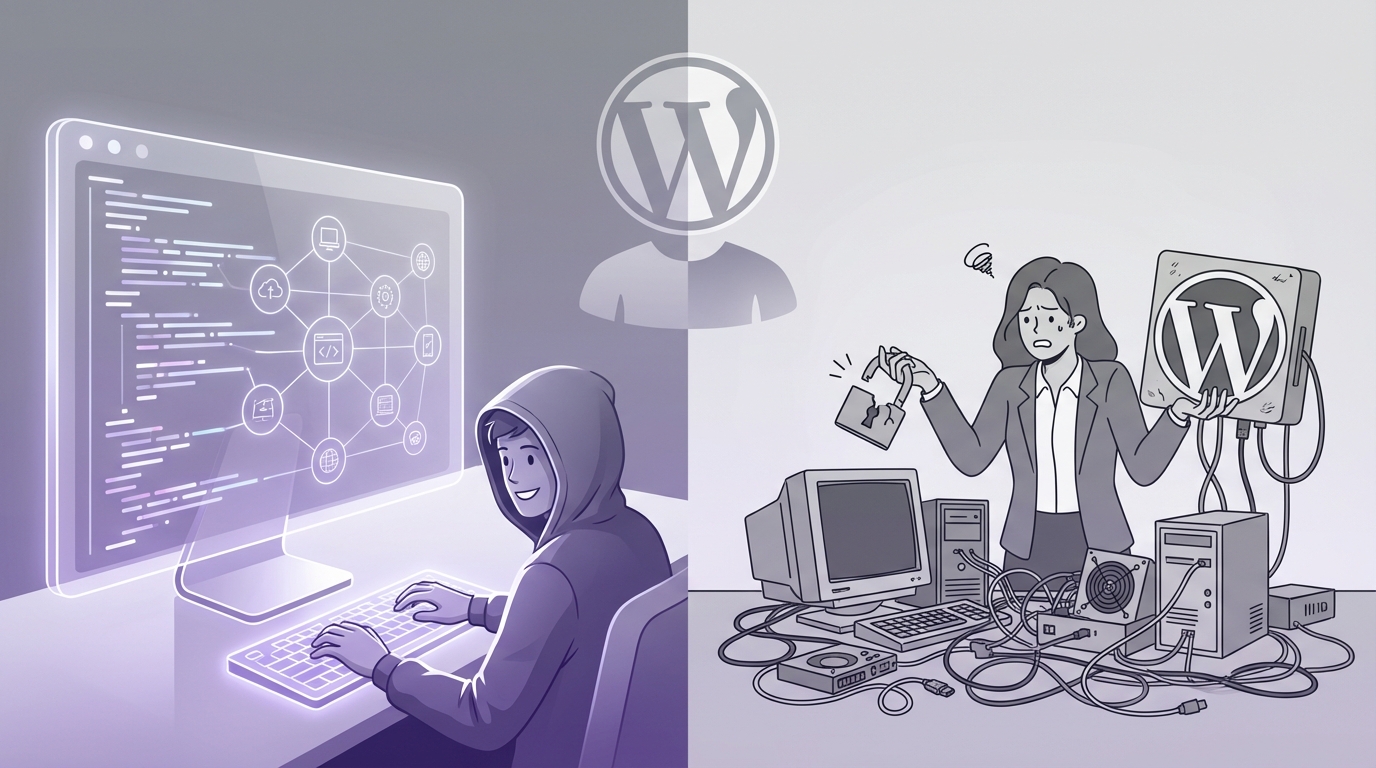
“Headless WordPress pushes developer velocity up and client trust down when no one owns the business case.”
The market now treats headless WordPress as a growth lever, not just a tech choice. Agencies pitch it for performance, security, and flexibility. Developers love the stack. But when contracts renew, retention data shows a split: projects with a clear revenue or cost thesis keep investing, while “because headless is modern” projects stall, get frozen, or quietly revert to classic WordPress. The pattern is simple: if headless WordPress does not move revenue per visit, acquisition cost, or content operations cost, clients lose patience fast.
Investors look for repeatable models. They ask why a startup or a mid-market brand adds complexity to its content stack. The delta between “WordPress with a good theme and caching” and “WordPress as a pure content API with a React or Next.js front end” has to show up somewhere on a P&L. Faster page loads need to lower paid media cost or lift conversion. Multi-channel content delivery needs to shorten campaign cycles or open new revenue channels. The market reward is clear when those numbers exist. When they do not, headless WordPress turns into a very expensive science project.
The trend is not fully clear yet, but a few things stand out. Headless WordPress works best when teams already think in systems: design systems, component libraries, content models, and lifecycle cost. These teams treat WordPress as a content database, not a website toy. They go headless because they have to: complex product catalogs, custom app-like experiences, heavy traffic with strict security rules, or a long list of channels that need content from one source. In those cases, the ROI shows up in lower engineering cost over time and stronger performance at scale.
On the client side, the experience often looks different. Marketing leaders log in and discover that the preview button no longer behaves like it used to. Simple layout tweaks now need a ticket. That plugin they saw on a blog does not just “work” anymore. The psychological contract they had with WordPress breaks. WordPress, in their mind, used to mean “I can change my site without begging a developer.” Headless WordPress pulls that rug partly away. If no one resets expectations and maps this change to business impact, frustration builds month after month.
“Headless CMS projects fail not because the stack is wrong, but because the content team never signed the social contract.” – Anonymous agency founder
The business side cares about one thing: does this setup help us grow faster or spend less over the next 24 to 36 months? Developers often care about cleaner architectures, better tooling, and future-proofing. Those goals are not in conflict, but they are not the same. When an agency or internal team sells headless WordPress on technical merit only, clients nod in meetings and then get surprised when their cost of change goes up.
Why developers keep pushing for headless WordPress
From a developer’s view, classic WordPress often feels like a bottleneck. The theme layer mixes PHP, HTML, CSS, and random plugin logic. Front end performance tuning becomes a game of plugin Russian roulette. Modern JavaScript frameworks sit outside that model, so developers either fight core WordPress or avoid its front end entirely.
Headless WordPress flips the model. WordPress stays as the content management backend. The front end moves to React, Next.js, Gatsby, Nuxt, SvelteKit, or even a native app. Content flows through REST or GraphQL. Build pipelines and deployment workflows look like a modern product team, not a legacy CMS shop.
Developers like this for several reasons:
1. **Cleaner separation of concerns**
The content model lives in WordPress. The presentation logic lives in a separate codebase. This separation supports better testing, version control, and deployment practices. The business value shows up in lower long-term maintenance cost and easier hiring. JavaScript talent is easier to find than deep PHP/WordPress theming talent in many markets.
2. **Performance and Core Web Vitals**
When paired with static generation or server-side rendering from a JavaScript framework, headless WordPress can hit strong performance numbers. Faster first contentful paint and better time to interactive can reduce bounce on high-intent pages. If a brand spends heavily on paid search or paid social, shaving 200-400ms off page load can drive measurable revenue lift.
3. **Control over front end architecture**
Developers get to use design systems, component libraries, and typed data structures. They can integrate with modern analytics, experimentation tools, and feature flags without fighting legacy templates.
4. **Multi-channel content**
WordPress becomes a single source of content for websites, mobile apps, in-store displays, and custom experiences. For product-led companies or media brands, this reuse shortens campaign lead times and reduces duplicated content work.
“The front end is now an application, not a theme. That is the real shift with headless WordPress.” – Senior engineer at a SaaS company
The developer story is compelling. But that story rarely mentions the client’s day-to-day experience, and that is where friction grows.
Why clients often experience headless WordPress as a nightmare
From a client’s perspective, WordPress has brand equity. It signals speed, control, and low change cost. Non-technical users expect to edit pages, change menus, manage forms, and install plugins without writing code.
Headless WordPress breaks that mental model in ways that feel small during the sales process and very large during month six of content operations.
1. The “what you see” problem
Classic WordPress offers some level of WYSIWYG (“what you see is what you get”) editing. Page builders, block editors, and themes give marketers a rough preview of how pages will look. It is not perfect, but it is close enough.
In a headless setup, that connection is weaker. The headless front end may interpret fields and blocks in a custom way. The backend view often fails to match the live design exactly. Preview features exist, but they usually require extra work, special URLs, and more patience.
Business impact:
* Slower content cycles when every publish requires double-checking on the live site.
* Higher risk of layout breaks when content authors push the limits of what fields allow.
* More back-and-forth with developers for “tiny” visual tweaks.
2. The hidden cost of “just one change”
In classic WordPress, many small changes live in theme settings or visual builders. Clients can:
* Move a block.
* Add a new layout section.
* Change button styles across the site through a theme panel.
Headless WordPress shifts much of that control back into code. The React or Next.js app defines layouts and components. WordPress provides content only.
So when a marketing manager says, “Can we add an FAQ section under the hero on all product pages,” this often means:
* New component in the front end repo.
* Styling work.
* New content field types in WordPress.
* QA across devices.
* Deployment process.
That change may still be fast for a good team, but it is now a developer task, not a click in the admin.
Business impact:
* Higher cost per marketing experiment.
* Slower response to campaign or messaging changes.
* Perception that the site is “locked” or “rigid” compared with the promise of WordPress.
3. Plugins do not just plug in anymore
Clients often expect the “plugin marketplace effect”: see a plugin, click Install, and enjoy new features. In headless mode, many plugins that rely on the theme layer do not provide value out of the box.
A few examples:
* Sliders, galleries, and visual widgets need front end hooks that may not exist.
* SEO plugins still help with metadata, but their live preview or scoring features may misread the headless setup.
* Form builders may need special handling to work with a decoupled front end.
Every plugin now has two questions:
1. Does it store or manage data in a useful way?
2. Can the front end consume that data without custom glue?
Business impact:
* Extra engineering work to connect plugin output with the front end.
* More vendor lock-in with the agency or dev team that understands the custom wiring.
* Less freedom for clients to extend their site on their own.
4. Preview, scheduling, and workflows feel fragile
Marketing teams rely on basic CMS features:
* Scheduled posts.
* Content workflows (draft, review, publish).
* Previews for campaigns that go live on a certain date.
Headless setups support these flows, but they often come with caveats. Static site builds, cache layers, and edge networks add more steps between “publish” and “see it live.”
Example failure modes:
* Scheduled posts do not appear until the next build runs.
* Cache does not invalidate on publish, so old content lingers.
* Preview URLs break when environment variables change or when the headless app deploys a new version.
Business impact:
* Launch risk for campaigns tied to specific dates or hours.
* Lost trust in the CMS when marketing teams cannot reliably see what will go live.
* More dependency on developers to “fix the cache.”
When headless WordPress makes sense financially
The case for headless WordPress gets stronger when the business problem is clear and measurable. If the project starts from “we want modern tech,” the risk climbs. If it starts from “we cannot achieve X growth or cost target with classic WordPress,” the odds improve.
Here are patterns where the business case tends to hold.
Use case 1: Performance as a revenue driver
For brands spending heavily on paid traffic, page speed and Core Web Vitals tie directly to revenue.
Example scenario:
* Monthly ad spend: $300,000
* Current conversion rate: 3.0%
* Revenue per conversion: $150
If a headless WordPress build improves performance and raises conversion rate to 3.4%, the math looks like this:
* Before: 3% of traffic converts.
* After: 3.4% convert.
* Lift: 0.4 percentage points.
* With 100,000 visitors from paid traffic, that is 400 extra conversions.
* 400 x $150 = $60,000 extra revenue per month.
If the headless rebuild costs $150,000, payback comes in roughly three months. This is a clear investment case.
Key point: the performance gain must be large enough and the traffic valuable enough. For small sites with modest traffic, the uplift might not cover the complexity cost.
Use case 2: Multi-channel content distribution
Some companies need the same content across:
* A marketing site.
* A customer portal.
* Native mobile apps.
* Partner sites or embedded widgets.
WordPress as a headless CMS can feed all of these through APIs. Content teams update once and push everywhere. Engineering teams maintain one content model, not several.
Business value:
* Fewer errors from content drift across properties.
* Lower content production cost because each piece is reused.
* Faster launches for new channels, since content flows through existing endpoints.
If a media brand launches a new OTT app, for example, tying it to an existing headless WordPress backend can cut months from the launch schedule.
Use case 3: Complex front end experiences
Some sites behave more like applications than brochures:
* Custom dashboards.
* Interactive product configurators.
* Rich search and filtering across large catalogs.
* Personalized content by segment or user behavior.
In these cases, the front end needs real application logic. A headless architecture lets WordPress handle content while the app side handles interaction, personalization, and state.
Business value:
* Stronger user engagement, measured by session length, feature usage, or trial-to-paid conversion.
* Improved upsell or cross-sell through tailored experiences.
* Data collection that supports better product decisions.
Here, classic WordPress themes start to fight against the requirements. The cost of hacking them to behave like applications often exceeds the cost of going headless.
When headless WordPress tends to disappoint clients
The nightmare stories usually share consistent traits. The technology is fine. The fit is not.
Red flag 1: “We want a modern stack” with no business metric
If the only stated reason for going headless is:
* “Our developers prefer React.”
* “Everyone is going JAMstack.”
* “The agency said performance will be better.”
then the project lacks an economic anchor. When budgets tighten, leadership asks:
* “What did this get us?”
* “Could we have hit the same metrics with classic WordPress and some tuning?”
If no one can answer with numbers, the next redesign often moves away from headless.
Red flag 2: Marketing ownership without tech support
Some organizations let marketing own the website but do not staff internal engineers familiar with the headless front end. The agency delivers a great codebase, collects the final invoice, and moves on.
Six months later:
* Small changes require SOWs and invoices.
* Internal IT cannot support the stack.
* Marketing teams start to feel trapped.
In that scenario, a classic WordPress setup with a good page builder, caching, and a security plan might have served better. Control and cost predictability matter more than technical purity.
Red flag 3: Heavy editorial teams with complex layouts
Content-heavy sites, especially with non-technical editors, struggle when they lose visual control.
Examples:
* Digital magazines.
* Content marketing teams that ship daily experiments.
* Large knowledge bases with evolving structures.
If editors cannot see layouts while building them, they spend time publishing and checking, then rolling back or calling developers. The friction here is real and shows up as:
* Slower publishing cadence.
* Higher editorial overhead.
* Rising resentment toward the stack.
Cost structure: classic WordPress vs headless WordPress
The financial comparison helps sharpen decisions. The exact numbers will vary, but the categories are consistent.
Cost comparison table
| Cost Category | Classic WordPress | Headless WordPress |
|---|---|---|
| Initial build | Lower for simple to mid-range sites | Higher due to separate front end app |
| Hosting | Standard PHP hosting or managed WP plans | WP hosting + front end hosting + build pipeline |
| Development skill set | PHP/WordPress theming | PHP/WordPress + JS framework expertise |
| Small content/layout changes | Often handled by editors or simple theme tweaks | Frequently require developer involvement |
| Performance tuning | Relies on caching, plugins, and server tuning | Baked into front end (SSR/SSG) plus caching |
| Plugin compatibility | High, most plugins just work | Mixed; many plugins need custom integration |
| Multi-channel output | Limited, usually web-focused | Strong; content served via APIs |
| Long-term flexibility | Theme and plugin choices drive path | High, but requires dev capacity to exploit |
| Vendor dependency | Lower; larger pool of WP specialists | Higher; need team fluent in specific stack |
The table highlights a key pattern: headless WordPress trades higher initial and ongoing development cost for greater technical flexibility and performance potential. The business gains must be large enough to justify that trade.
Revenue-side vs cost-side ROI for headless WordPress
Any executive signing off on headless WordPress should see a simple ROI frame. There are two main levers: revenue lift and cost savings.
Revenue-side gains
Revenue gains can come from:
* Higher conversion rates through better performance and UX.
* New revenue channels powered by content APIs (apps, partner sites).
* Stronger personalization or experimentation capacity.
For example:
* If a SaaS company improves free trial sign-up rate by 10% through a better funnel in a headless front end, and its average customer LTV is $2,000, a small uptick in sign-ups can dwarf the development cost across a year.
* If a DTC brand uses headless WordPress content across web, mobile app, and in-store screens to run coordinated campaigns, they may see higher order frequency and average order value.
These gains need tracking. Without clear analytics tying the new architecture to measurable lifts, headless remains a qualitative win at best.
Cost-side gains and risks
Cost savings might come from:
* Reduced engineering hours for complex front end features over time, since the front end codebase is built for reusability.
* Lower hosting cost per visitor at large scale because static assets can sit on cheap CDNs while WordPress runs on smaller infrastructure.
* Fewer outages linked to heavy plugins or theme conflicts.
Risks:
* Higher dependency on a smaller pool of developers.
* Longer onboarding for new engineers or agencies unfamiliar with the custom stack.
* Increased overhead for simple content tweaks if the system is not designed with the content team in mind.
The net ROI view needs both sides. A headless project that cuts hosting cost by $1,000 per month but increases annual development retainer by $50,000 is not a win unless revenue gains offset that jump.
Designing headless WordPress so clients do not hate it
For teams that decide headless WordPress is the right move, the next challenge is human: how to keep clients and content teams happy.
1. Treat content modeling as a product decision, not an afterthought
The content model is the interface between WordPress and the front end. Poor modeling leads to rigid templates that frustrate editors.
Principles:
* Build reusable content blocks that map to front end components, but give editors meaningful controls (ordering, variants, visibility rules).
* Avoid one giant “content” field; break it into structured pieces.
* Document which combinations are safe and which can break layouts.
The content model has direct business impact. A well-modeled system lets marketing teams build new page types without new code. A bad model forces tickets for every variation.
2. Invest in real preview workflows
Preview needs to be simple:
* One click in WordPress opens a preview that closely matches production.
* Editors can share preview URLs with non-technical reviewers.
* Scheduled posts and page changes reflect accurately in preview.
This requires coordination between the WordPress backend and the front end app, but the payoff is huge. Strong preview restores some of the trust lost when moving away from classic themes.
3. Draw a clear plugin strategy
Before build:
* Decide which categories of plugins will be allowed (SEO, forms, analytics, content fields).
* For each, test how the front end will consume the data or markup.
* Avoid installing plugins that heavily depend on classic theming unless there is a plan to surface their effects in the headless app.
Communicate to the client:
* Which types of plugins they can safely install.
* Which require developer review.
* Which are off-limits.
This manages expectations and removes surprises when a plugin they bought does nothing on the live site.
4. Build a “marketing control surface” in the front end
Instead of hiding layout and settings control deep in code, create a configuration layer that marketing can adjust via WordPress:
* Feature toggles for homepage sections.
* Layout variations for core pages (e.g., hero variant A/B).
* Copy and image fields tied to key components.
Tie this configuration to real business goals:
* Allow A/B testing of hero copy directly from WordPress, with measurement in analytics tools.
* Let marketing switch between “launch mode” and “evergreen mode” without deployments.
When marketing leaders see that headless WordPress gives them more control over experiments, not less, their perception shifts.
5. Co-own the business case with the client
Agencies and internal product teams should write down:
* Target metrics for the headless rebuild (conversion, load time, time-to-publish).
* Expected payback period.
* How progress will be tracked.
Review these numbers quarterly. If the site is not delivering the expected gains, adjust:
* Simplify content models that slow editors.
* Improve caching strategies.
* Revisit front end components that hurt UX.
This shared ownership turns headless WordPress from a one-time project into a living growth asset.
Growth metrics to track for a headless WordPress build
To keep the investment grounded, track a small set of key metrics before and after migration.
| Metric | Why it matters | Classic WP Baseline | Target with Headless |
|---|---|---|---|
| Average page load (Largest Contentful Paint) | Ties to bounce rate and paid traffic ROI | 2.8s | < 1.8s |
| Conversion rate on key funnels | Direct revenue impact | 2.7% | 3.1%+ |
| Time from “brief” to “live page” | Content velocity, campaign agility | 5 days | 3 days |
| Engineering hours per month on site changes | Ongoing cost of ownership | 40 hours | 30 hours |
| Content reuse rate across channels | Value of multi-channel content model | 10% | 35%+ |
“If your headless rebuild cannot show better numbers in at least two rows of that table, hold your budget.” – Growth advisor for B2B SaaS
These metrics bring the conversation back from “React vs PHP” to “cost vs growth.”
How to decide: a simple headless WordPress decision lens
When a company debates headless WordPress, the internal conversation often stalls on technical detail. A clearer path is to ask a sequence of business questions.
Question 1: Is the website core to revenue or brand value?
If the site is the primary sales engine, product interface, or brand touchpoint, investment in a more advanced stack can make sense. If most revenue comes through other channels and the site is informational, a simpler stack might be smarter.
Question 2: Do we need WordPress specifically, or just a CMS?
Some teams choose headless WordPress because they already have deep WordPress processes and content in place. For them, decoupling is an evolution, not a restart.
Others pick headless WordPress because it is familiar, even though a different CMS might fit headless use cases better. This habit can add friction. Decide if WordPress’ editorial interface, plugin ecosystem, and existing content justify keeping it as the backend.
Question 3: Do we have, or can we fund, a stable front end team?
Headless WordPress lives or dies on front end excellence. If there is:
* No in-house team.
* No long-term agency relationship.
* No budget for ongoing engineering.
then a headless setup can become brittle fast. In that world, high-quality classic WordPress with strong hosting, security, and performance tuning might serve the business better.
Question 4: Can we state a numeric goal for the rebuild?
Ask:
* “We are doing this to raise X by Y% in Z months”
or
* “We are doing this to cut cost A by B% in C months”
If the answer is “we want a more modern stack,” delay headless until a financial target exists.
Where headless WordPress is heading next
Tooling around WordPress and JavaScript frameworks continues to mature. New plugins, hosting platforms, and starter kits aim to smooth rough edges:
* Better GraphQL layers for WordPress.
* Managed platforms that host both WordPress and the front end with built-in preview flows.
* Visual editors that speak headless APIs and offer more accurate previews.
These trends may reduce the “client nightmare” effect over time by returning more control to editors without giving up the technical gains. Still, the central tension will stay: complexity must pay for itself.
The market signals are clear: headless WordPress is not going away, but neither is the discomfort from clients who expected “just WordPress” and ended up with a small software product glued to a CMS. Teams that make the architecture serve numbers, not tastes, will keep winning the bigger contracts and renewals. Those who chase fashion will keep rewriting the same front ends every three years while clients wonder why WordPress suddenly feels hard again.